Satellite Dish Installers Nationwide
Articles by Professional Satellite Dish Installers
Articles by Professional Satellite Dish Installers
Featured Starlink Installations & LEO Satellite Broadband Internet Articles
Articles by Professional Satellite Dish Installers
Featured Starlink Installations & LEO Satellite Broadband Internet Articles
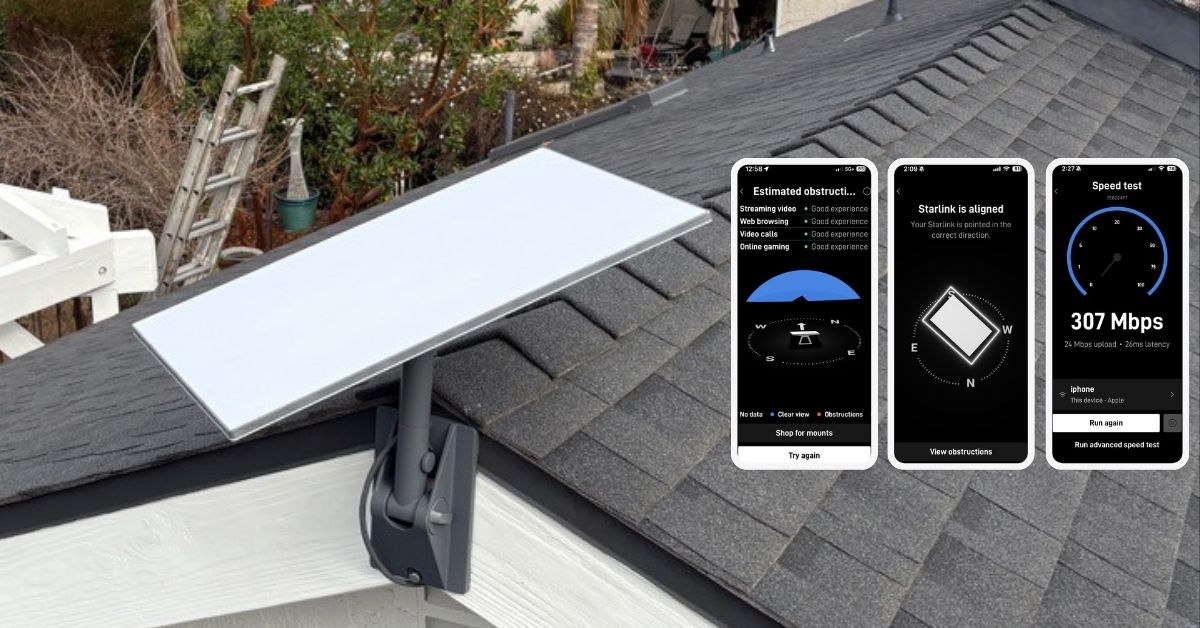
Starlink installation in Thousand Oaks, CA. Call 1-844-799-0258 for Starlink installers for businesses, homes and maritime ships.


This article presents the successfully completed Starlink installation service in Thousand Oaks, CA. We offer professional Starlink installation and IT network solutions for commercial businesses, residential homes, RVs, RV parks, campgrounds, hotels, construction sites, farm, airplane hangars, mining facilities, schools, hospitals and long-range multi-building indoor and outdoor wireless networks across California.
To book your Starlink installation, call us at 1-844-799-0258 or request a quote through our Contact Us form.
🔹Location: Thousand Oaks, CA
🔹Property Type: Residential home
🔹Property Size: 2,250 sqft, one-story home
🔹Roof Type: Asphalt Shingle
🔹Starlink Kit: Enterprise kit
🔹Mount Solution: Pivot mount
Our Starlink Installation SMEs received a service request for Starlink installation in Thousand Oaks, CA. Our team provided a professional service by carrying out the following tasks:
To evaluate the installation feasibility, we performed an Initial Offsite Assessment. This process involved analyzing satellite imagery and onsite photos to determine the property’s layout, dimensions, potential obstacles nearby, suitable mounting solution, installation points and cable routing path.
After the initial offsite assessment, our team sent an installation proposal to the customer for review and approval. Once approved and all materials and equipment are available onsite, the installation schedule is coordinated with our professional Starlink installers in Thousand Oaks, CA.
Our professional Starlink installers arrived as scheduled to perform the following scope of work:
🔹Set-up the Starlink Enterprise Kit using pivot mount.
🔹Route the cable to the customer’s desired router location.
🔹Activate & configure the Starlink Gen3 WiFi mesh router.
🔹Provide the customer with guidance on using the Starlink app.
🔹Test and document the installations with photos.
Our Starlink installation team arrived and began the installation process with a Starlink Obstructions Test using the Starlink app. This essential step helps determine the best placement for the Starlink dish by analyzing the surroundings for potential obstruction such as trees, buildings, or other structures that might disrupt the line of sight to the Starlink satellite network.
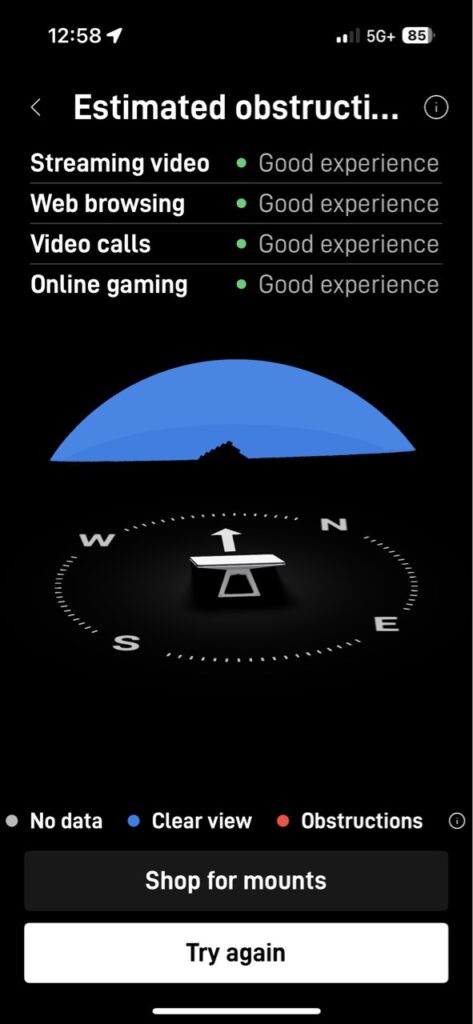
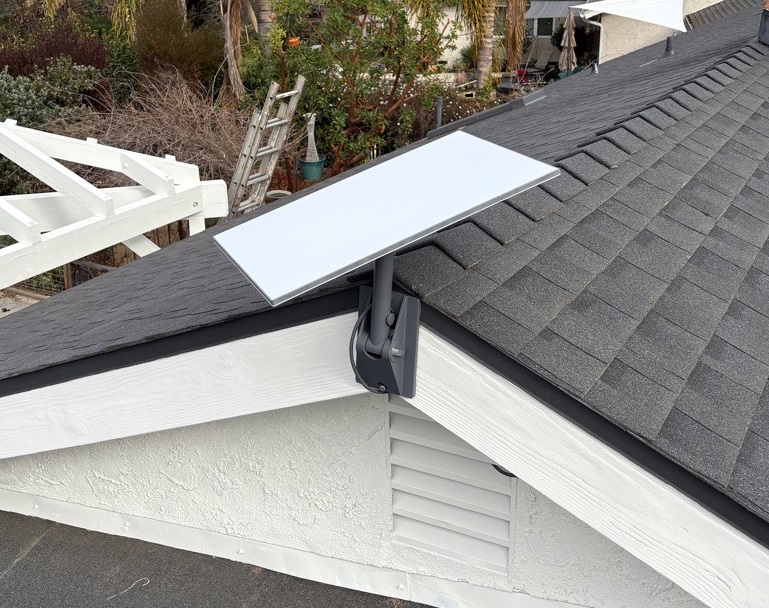
The test results yielded a “Good Experience” rating, confirming that the selected location is optimal for installing the Starlink dish. The team then securely mounted the dish using a pivot mount.
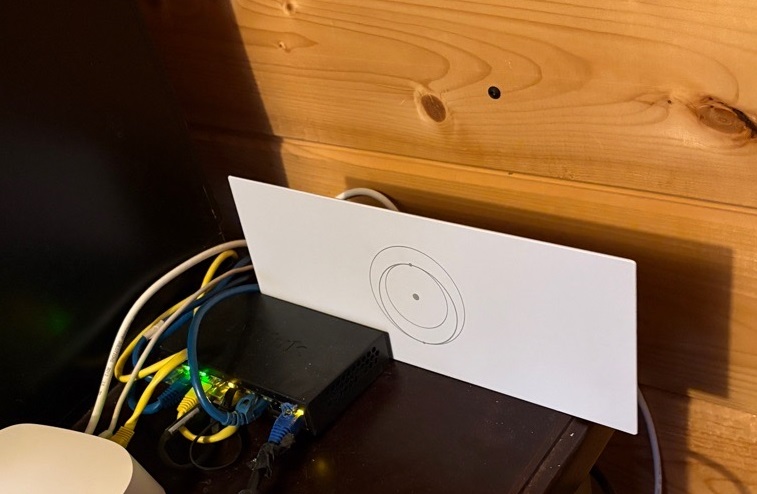
The Starlink cable was routed from the outdoor dish to the indoor location of the Gen3 WiFi mesh router. Plugged in the Starlink cable to the router. Powered on, activated and configured the router for SSID and password.
The customer was provided with a walkthrough on how to use the Starlink App’s key features, including:
🔹Managing their SSID
🔹Resetting their WiFi password
🔹Running speed tests
🔹Refreshing or resetting the Starlink network
🔹Troubleshooting common connectivity issues
After the installation, our team performed a Starlink alignment test. An essential step to ensure the dish was positioned accurately for optimal satellite connectivity. Utilizing the advanced tools within the Starlink app, we fine-tuned the dish’s orientation to guarantee it was aimed in the best direction for capturing the strongest possible signal.
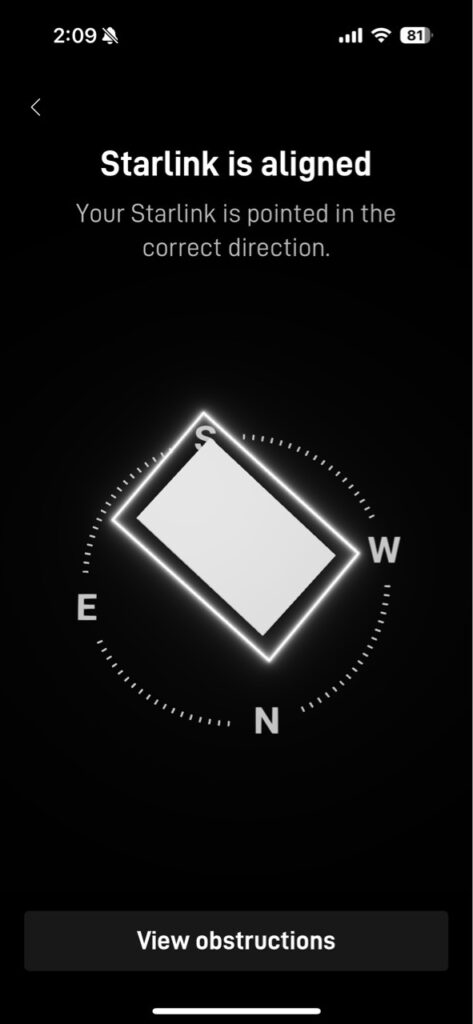
Finally, after completing the installation, our team conducted Starlink Speed Tests, confirming the connectivity performance. This speed test shows impressive results for an internet connection:
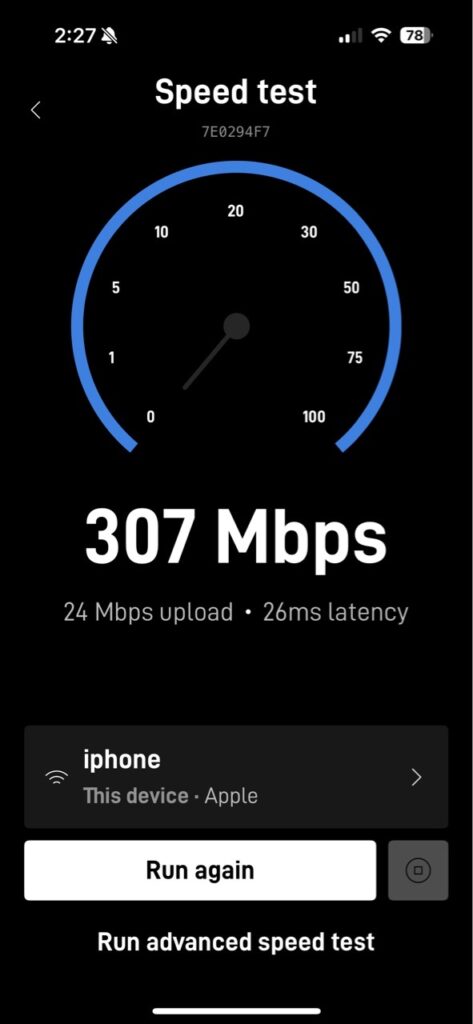
🔹Download Speed: 307 Mbps – This is excellent and allows streaming, gaming, large file downloads, and multiple connected devices without noticeable slowdowns.
🔹Upload Speed: 24 Mbps – This is sufficient for video conferencing, uploading files, and other cloud-related tasks.
🔹Latency (Ping): 26 ms – This latency is low and ideal for online gaming, video calls, and other activities requiring real-time responsiveness.
It is important to note that Starlink requires approximately 12 hours to fully optimize its connection with the satellite network after initial setup. During this period, the system actively scans the sky, connects to available satellites, and optimizes its positioning to ensure the best possible signal strength and stability. Users may experience fluctuations in connectivity, speed or brief dropouts as the dish fine-tunes its alignment and establishes a consistent link with the satellite constellation. The connection stabilizes once the synchronization process is complete, delivering reliable high-speed internet performance.
Call us at 1-844-799-0258 to schedule your Starlink installation or to address any service-related inquiries.
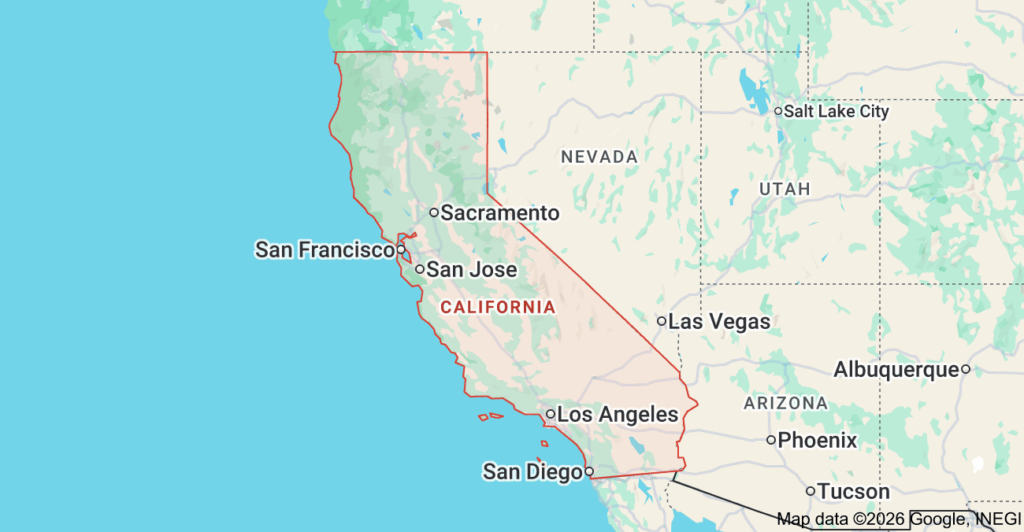
We offer professional Starlink installation and IT network services to nearby towns and cities including:
DID YOU KNOW?
Thousand Oaks, CA, is a beautiful city in Ventura County, known for combining comfort through suburban life with breathtaking natural beauty. The city has more than 125,000 residents and has all the ingredients for a high-quality lifestyle, good schools, and recreational activities; it borders on the incredible Santa Monica Mountains and the serene Conejo Valley Botanic Garden. It is a dynamic, diversified economy of Thousand Oaks with major industries in biotechnology, health, entertainment, and retail that are attractive to families, professionals, and businesses.
Thank you for reading our Starlink installation articles.
